

Reviewed · SOUTH KOREA
South Korea Data eSIM: 0.5GB/day to 30GB-30Days(Instant Delivery)
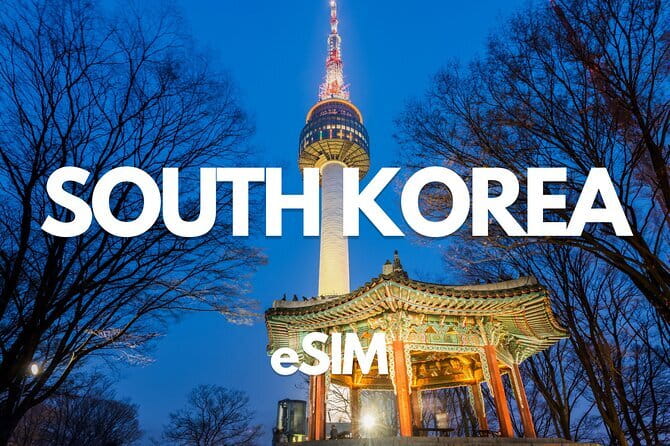
Landing in South Korea with mobile data already arranged can save you from airport SIM counters and costly roaming. This data-only eSIM sends a QR code by email within minutes and connects to KT in South Korea, with 4G LTE or 5G speeds where available. I like the quick delivery and the fact that hotspot use is allowed.
I also like the low starting price of $3.18, especially for a short stay or a backup connection. The main caution is simple but important: the plan starts when you install it, not when you first use data, and some phones will not support it. A small setup mistake before departure can turn a bargain into an expensive paperweight.
Key points to know before you buy
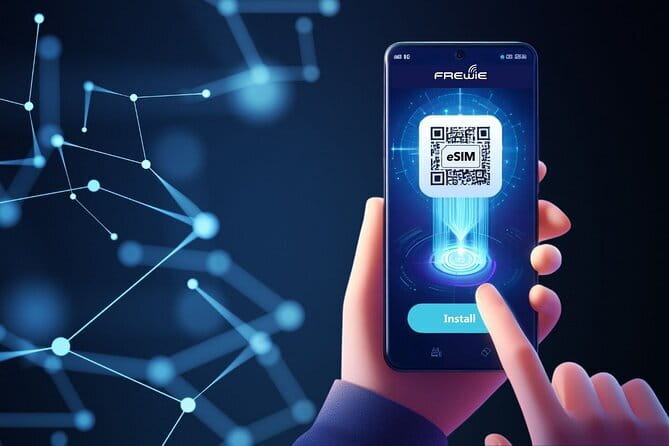
- QR code delivery takes minutes: You receive the installation details by email, so check your inbox and spam folder soon after booking.
- KT provides the South Korea connection: The eSIM uses a major local network, with 4G LTE or 5G depending on availability.
- Plans cover light use to heavy use: Options range from 0.5GB per day to 30GB for 30 days.
- Data only means no phone number: You cannot use this eSIM for regular calls or SMS messages.
- Hotspot sharing is supported: You can share the connection with another device, subject to the plan and your phone settings.
- Installation starts the clock: Install only when your travel timing is settled, since the validity period begins immediately.
What this South Korea eSIM actually provides
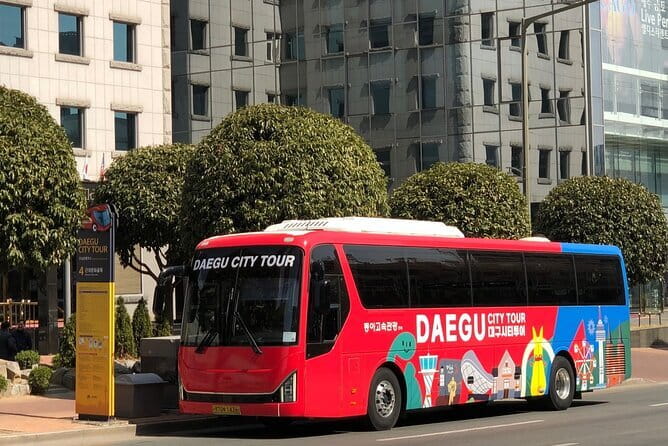
This is not a guided activity with transport, scheduled stops, or a meeting with a local host. The starting point is listed as Daegu, but the practical experience happens on your phone. You receive a prepaid mobile data package, install it with a QR code, and use it during your time in South Korea.
The connection is provided through KT, one of South Korea’s major mobile networks. The stated service is 4G LTE or 5G, depending on local availability and your device. That should cover the everyday jobs you need on a trip: maps, translation, messaging apps, online bookings, weather checks, and finding your way around unfamiliar streets.
The plan is prepaid. There are no contracts and no automatic renewals, so you do not need to remember to cancel anything after returning home. That is useful if you want a clean, one-time purchase rather than a temporary subscription.
The product comes in several sizes. The advertised range runs from 0.5GB per day to 30GB for 30 days. The exact allowance depends on the package you select, so check the chosen option carefully before paying. A light user who mainly checks directions and sends messages needs far less than someone who watches video, uploads photos, or shares a connection through a hotspot.
Other trips people book in South Korea:
- Best DMZ Tour Korea from Seoul (Red Suspension Bridge Optional)
★ 5.0 · 41,422 reviews - DMZ Tour: 3rd Tunnel, Option(Suspension Bridge, Boat) from Seoul
★ 5.0 · 21,373 reviews - DMZ tour south Korea from Seoul (NK experience hall, defector)
★ 5.0 · 20,599 reviews
Installing the QR code before you leave
The key practical detail is that the validity period begins when you install the eSIM. It does not wait until you arrive in South Korea or connect to a local tower. If you scan the QR code at home several days before departure, you may start using part of the plan before your trip begins.
For that reason, I would buy the eSIM once your plans are firm, but wait to install it until the right moment. The provider says the eSIM should be started within one month of purchase. You should also keep the QR code email available while installing, since you may need to open it on another screen or use a second device to scan it.
Your phone must support eSIM and must not be locked to a carrier. The supplied information also warns that most phones bought in China and Hong Kong do not support eSIM. That warning matters more than the low price. Check your exact phone model online or ask your service provider before purchase.
A phone that is simply free of a contract is not automatically eSIM-compatible. The phone needs both an unlocked status and the required eSIM hardware. If you are buying for several people, check every phone separately. Two phones in the same group may work while two others do not, even if all four are described as unlocked.
What happens when you arrive in South Korea
Once the eSIM has been installed and your phone settings are correct, you can use it for mobile data in South Korea. One particularly useful feature is the ability to connect as soon as you land, provided the setup was completed in advance and your phone allows the eSIM to use cellular data.
That can spare you a trip to an airport counter. One customer used the connection at Incheon Airport and later found coverage in Pyeongchang, a mountainous area around three hours from Seoul. That is a useful real-world indication for people planning to leave the capital, though no mobile service can promise perfect reception in every valley, building, or remote road.
The eSIM is also listed for use in Daegu, and the South Korea network is KT. The wider product information names several other partner networks in different countries, but those extra destinations are not the main reason to buy this South Korea plan. If your trip includes other countries, check the precise package and country coverage rather than assuming that every option works everywhere.
There is no physical meeting point in the usual sense. The activity begins digitally and ends when the data package expires or its allowance is used. That makes it a good fit for independent trips, business visits, and anyone who wants to manage connectivity without adding a stop to the first day.
Daily plans and fixed data plans
The two main plan styles work differently, and this is where careful reading pays off.
A daily plan gives you a set amount of high-speed data each day. The supplied terms say the daily allowance resets at 0000, listed as +8 GMT. After the high-speed amount is used, data continues at a reduced speed of 128 kbps until the next reset.
At 128 kbps, basic messaging apps may still function, but large photographs, video, app updates, and map downloads can become slow or difficult. Do not treat the word unlimited as unlimited full-speed data. The useful high-speed allowance is the daily amount you selected.
A fixed plan gives you a total high-speed allowance for the selected period. Once that allowance is used, the connection continues at 128 kbps. This can suit you if your use is uneven, perhaps very light on some days and heavy on others. A daily plan may be easier to manage for a predictable routine, while a fixed plan gives you more freedom to spend data when you need it.
The 30-day option is the longest period described, but it is not automatically the best value. If you are visiting South Korea for three or four days, a short plan may be more sensible. If you are staying close to a month, the longer option avoids having to arrange another connection midway through the trip.
Same base, a different kind of day out:
- DMZ Insider Tour: 3rd Tunnel, NK Defector Meet & Red Bridge
★ 4.9 · 15,214 reviews - Seoul: DMZ Tour with Optional Suspension Bridge
★ 4.8 · 5,277 reviews - Signature DMZ Tour: Exclusive Defector Talk & Suspension Bridge
★ 5.0 · 4,459 reviews - Thrilling Korean DMZ 3rd Tunnel Tour from Seoul + Red Bridge Rush
★ 5.0 · 3,097 reviews
How much data will you need?

For maps, translation, email, restaurant searches, messaging, and occasional social media, a smaller plan may be enough. You can also reduce data use by downloading what you need over Wi-Fi and turning off automatic app updates.
Photo-heavy use takes more. Frequent video, live uploads, cloud backups, and hotspot sharing can burn through a high-speed allowance quickly. I would choose a larger fixed plan or a higher daily allowance if your phone normally uses mobile data for entertainment as well as navigation.
The plan can support a mobile hotspot, which is a useful touch. You might share the connection with a laptop or another phone, but remember that every connected device draws from the same plan. A laptop may use data far faster than a phone, especially if it starts downloading updates in the background.
The reduced 128 kbps speed is best treated as an emergency cushion, not a feature to rely on. It may keep messaging apps alive, but it is not a comfortable speed for heavy browsing. Keeping an eye on your data use is worthwhile.
Calls, texts, and messaging apps

This eSIM does not include a phone number. You cannot use it for ordinary mobile calls or SMS messages, and it should not be confused with a South Korean voice SIM.
You can still use internet-based messaging apps when connected to data. The supplied terms specifically point to messaging apps as the main use after the high-speed allowance has been reached. If you need to receive bank verification codes by SMS, make traditional calls, or use a phone number for reservations, plan another solution before departure.
Your existing physical SIM can sometimes remain active for calls and texts while the eSIM handles data, but the exact result depends on your phone and carrier settings. The important point is that this product itself supplies data only. I would check roaming charges carefully before leaving your home SIM active.
Coverage and performance in practice
The available evidence points to good service in central areas and useful coverage beyond Seoul. A connection worked at Incheon and remained useful in Pyeongchang, even around mountains. Another customer described the connection as fast and reliable in Seoul, with easy email delivery and installation.
That is encouraging, but the service still depends on local signal, your phone, and correct installation. A 5G label does not mean you will see 5G at every location. The terms sensibly qualify speed by availability, so expect a mix of 4G LTE and 5G rather than a constant 5G connection.
One warning comes from an installation problem affecting two phones in a four-phone group. The other two phones worked, even though the affected phones were not under contract. That shows why unlocked status alone is not enough. Compatibility, phone model, operating system, and setup settings can all matter.
There was also a case where the plan took time to start and then stopped working on the second and third days. Support was requested, but help did not arrive quickly enough for that person’s trip. The supplier says assistance is available by replying to its email, so keep the original message and contact details. Still, I would not wait until you are standing at a train station with no connection. Install early enough to test the setup while you still have access to Wi-Fi and support.
Is $3.18 good value?

At $3.18 per person, the starting price is attractive. It can be excellent value compared with buying a mobile data product at an airport, particularly for a short stay or as a backup. One customer was surprised by the high airport SIM price and was glad to have arranged the eSIM in advance.
The actual price will depend on the data amount and duration you choose, so do not judge every package by the lowest advertised figure. The value improves if you need immediate data for directions, translation, and messages from the moment you land.
The no-contract, prepaid format also limits financial surprises. There are no renewals after the package ends. The tradeoff is the strict purchase policy: the product is non-refundable and cannot be changed for itinerary changes or compatibility problems.
That rule makes the device check essential. Spend a few minutes confirming eSIM support before buying. A cheap plan with no refund is not good value if your phone cannot install it.
Who should buy this eSIM?
I would consider it for you if you:
- Want data ready when you land in South Korea
- Prefer not to visit an airport SIM counter
- Need maps, translation, messaging, and web access
- Plan to use a hotspot
- Are comfortable installing an eSIM with a QR code
- Have a confirmed, unlocked phone with eSIM support
- Want a prepaid plan without automatic renewal
It is less suitable if you need a Korean phone number, regular calls, or SMS. It is also a poor choice if you have not checked your phone model, if your travel dates may change, or if you need fast technical support at any hour.
This product makes the most sense for an organized trip where you can prepare the phone before departure. It is not a guided tour, so you receive no sightseeing help, route planning, or personal assistance beyond product support.
Small setup habits that can prevent trouble
Before scanning the QR code, confirm the phone is unlocked and eSIM-compatible. Save the QR email and supplier contact details somewhere you can reach them without mobile data.
Install at the right time, since installation starts the validity period. After setup, check that the eSIM is selected for mobile data and that your phone is connecting through the correct line. If your phone has two SIMs, pay close attention to which line handles data and which line handles calls.
Test the connection over Wi-Fi before you leave, but remember that a full test may begin the plan. If the installation produces an error, contact the supplier by replying to the Viator Supplier email while you still have a reliable connection.
Should you book the South Korea eSIM?
I would book it if your phone is confirmed compatible, your dates are set, and you mainly need affordable mobile data. Fast email delivery, KT network access, hotspot support, and a starting price of $3.18 make it a practical choice for many independent trips.
I would not book it blindly. The no-refund rule, data-only design, reduced speed after the high-speed allowance, and uneven support experience all deserve attention. Check the phone first, choose the data amount carefully, and install close to departure rather than weeks ahead. Do that, and this eSIM can be a simple way to stay connected from Incheon to Daegu and beyond.
FAQ
How quickly will I receive the eSIM QR code?
The QR code is sent by email within minutes of booking. Check your inbox and spam folder if it does not appear promptly.
When does the eSIM validity period begin?
The plan starts when you install the eSIM by scanning the QR code. It does not wait until you first use mobile data in South Korea.
How long after purchase do I need to start using the eSIM?
You should start using the eSIM within one month of purchase.
Does the eSIM include phone calls or SMS messages?
No. It is a data-only eSIM and does not include a phone number for regular calls or SMS messages.
Can I use mobile hotspot with this eSIM?
Yes. Mobile hotspot use is supported.
What network does the eSIM use in South Korea?
The South Korea connection is listed as KT, with 4G LTE or 5G speeds depending on availability.
What happens after I use my high-speed data?
Daily and fixed plans continue at a reduced speed of 128 kbps after the selected high-speed allowance is used. Daily plans reset at 0000, listed as +8 GMT.
Will this eSIM work on every unlocked phone?
No. The phone must support eSIM and must not be carrier locked. Most phones bought in China and Hong Kong are stated not to support eSIM, so check your exact device before purchase.
Can I cancel the purchase or receive a refund if my phone is incompatible?
No. The product is non-refundable and cannot be changed, including for eSIM compatibility problems or changes to your travel plans.
Just added in South Korea
- Your Personal Seoul Photographer!★ 4.1 · 15 reviews
- You’re Invited to Our Home in Seoul: The Only Cooking Class!★ 5.0 · 8 reviews
- From Seoul: Yongpyong Ski Day Tour with Transportation★ 4.9 · 40 reviews
- Seoul: Korean & English Language Exchange Global Party★ 5.0 · 28 reviews
- Jeju UNESCO Natural Heritage Private Tour by Certified Guide★ 5.0 · 5 reviews
- Yeosu: Private Taxi Car Private Charter Tour★ 4.7 · 3 reviews
- From Seoul: Hwacheon Ice Fishing and Lighting Festival Tour★ 4.5 · 4 reviews
- EVERLAND “From Hotel to Hotel” [Premium Private Tour: Only One Group for You]★ 4.0 · 7 reviews